
 Orebits




Your Island
Make your island, visit others, set homes and choose who can come in.
Your island is your own piece of land in the sky. It starts as one OneBlock  , a magic block that turns into a new block every time you break it. Break it again and again to get everything you need. See The One Block.
64x64
Starting size
2 to 6
Island slots

4 to 12
Visitors at once
A brand-new island: the OneBlock on a small grass platform
Zrzut ekranu wkrótce
Make your island
- 1
Open the Server Menu
Tap the Server Menu item in your last hotbar slot, or type
/menu. It opens on the Island tab. - 2
Tap My Islands
You see your island slots. A slot is a free space for one island.
- 3
Tap Create New Island
Type a name, or leave it empty to get "<your name>'s Island".
- 4
Start breaking
You land on your new island. Break the OneBlock
to begin.
Faster way: type /is create and a name. Typing /is alone opens the Server Menu on the Island tab.
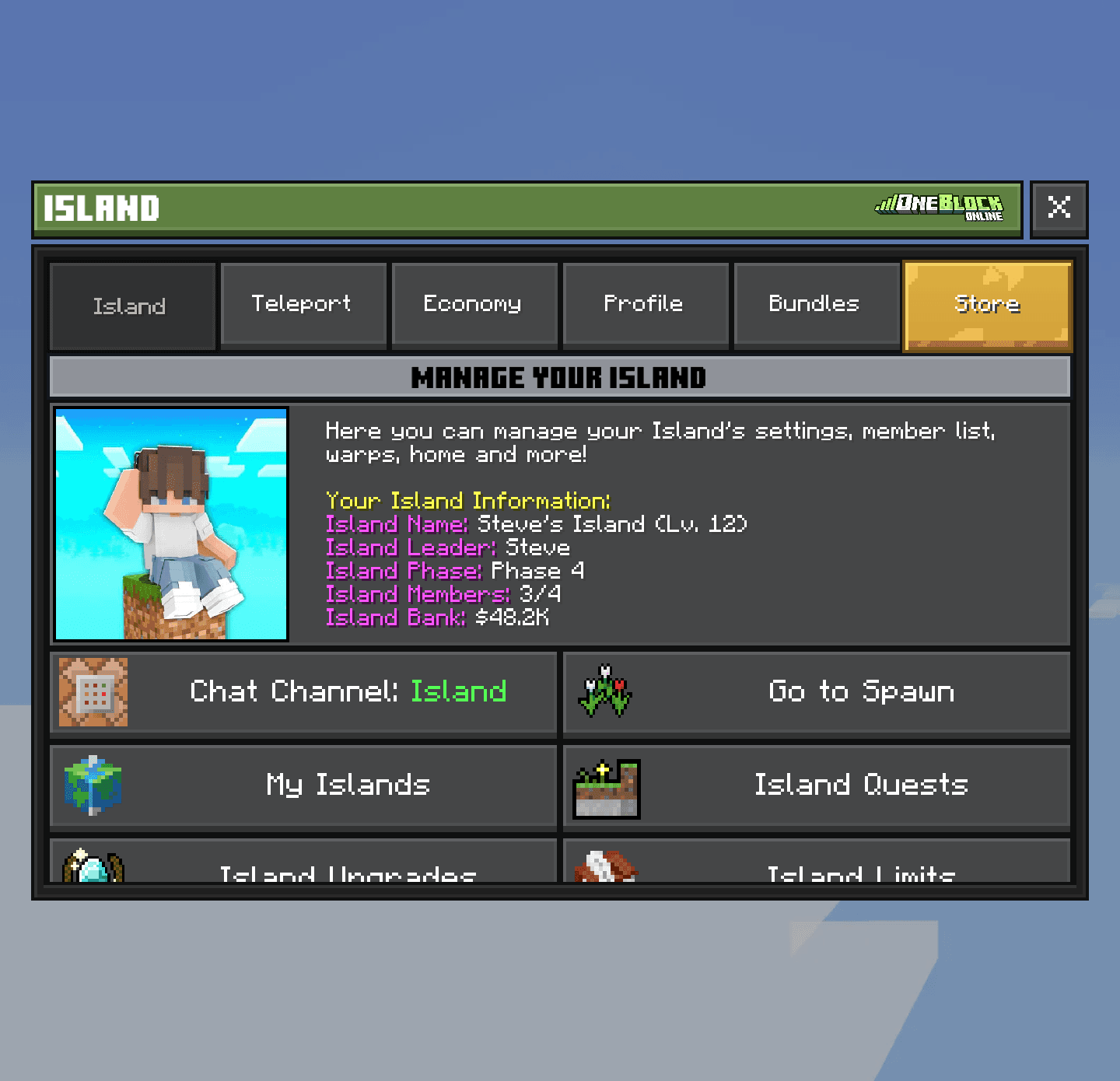
The Island tab
Almost everything about your island starts here. The top shows your island's name, level, leader, members and bank money. You only see the buttons you are allowed to use.
What your rank changes
A rank is a paid upgrade for your account (see Ranks). A higher rank gives you more island slots and homes, and lets more visitors onto islands you own.
| Rank | Island slots | Homes | Visitors at once |
|---|---|---|---|
| Default | 2 | 1 | 4 |
 Hero | 3 | 5 | 6 |
 Paladin | 4 | 10 | 8 |
 Champion | 5 | 15 | 10 |
 Demigod | 6 | 25 | 12 |
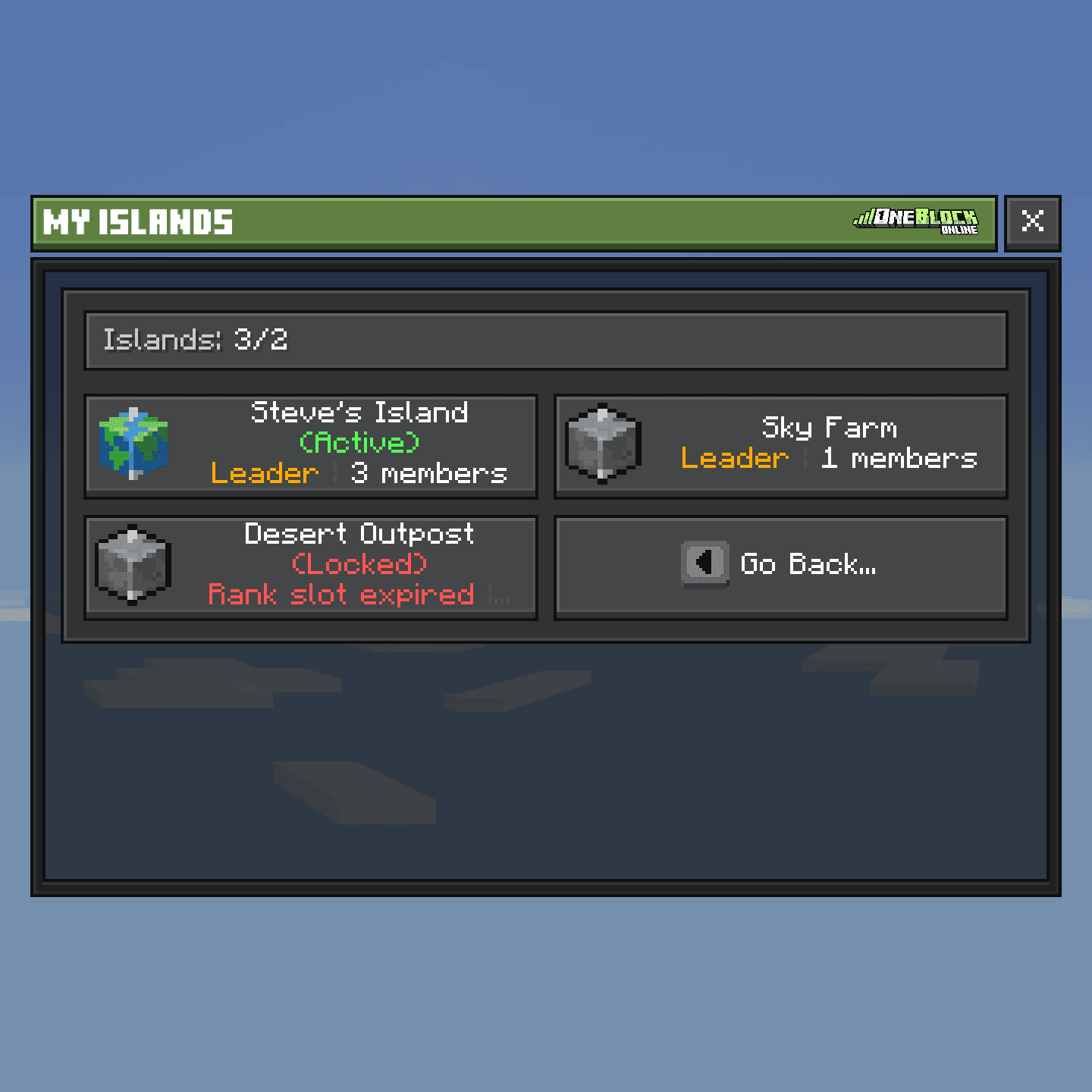
Being a member of a friend's island also uses one slot. If your rank ends, extra islands show as (Locked). Nothing is deleted; they come back when you have the slots again.
Switch between islands
Your active island is the one your /is commands and Island Quests work on. To change it, open the Server Menu, tap My Islands, tap an island, then tap Switch to this Island.
Homes
A home is a saved spot you can teleport back to. Stand where you want it and type /sethome and a name. Type /home and the name to go back.
- 1
Open the Server Menu
Tap the Server Menu item in your last hotbar slot, or type
/menu. It opens on the Island tab. - 2
Open the Teleport tab
Tap Teleport at the top.
- 3
Tap Set and Manage Homes
Tap a home to Teleport, Rename, Move Here or Delete it.
The island spawn is where members arrive and where they come back after falling off. To move it, stand on the spot, open the Server Menu, tap Island Settings, then tap Set Island Spawn.
Island Settings
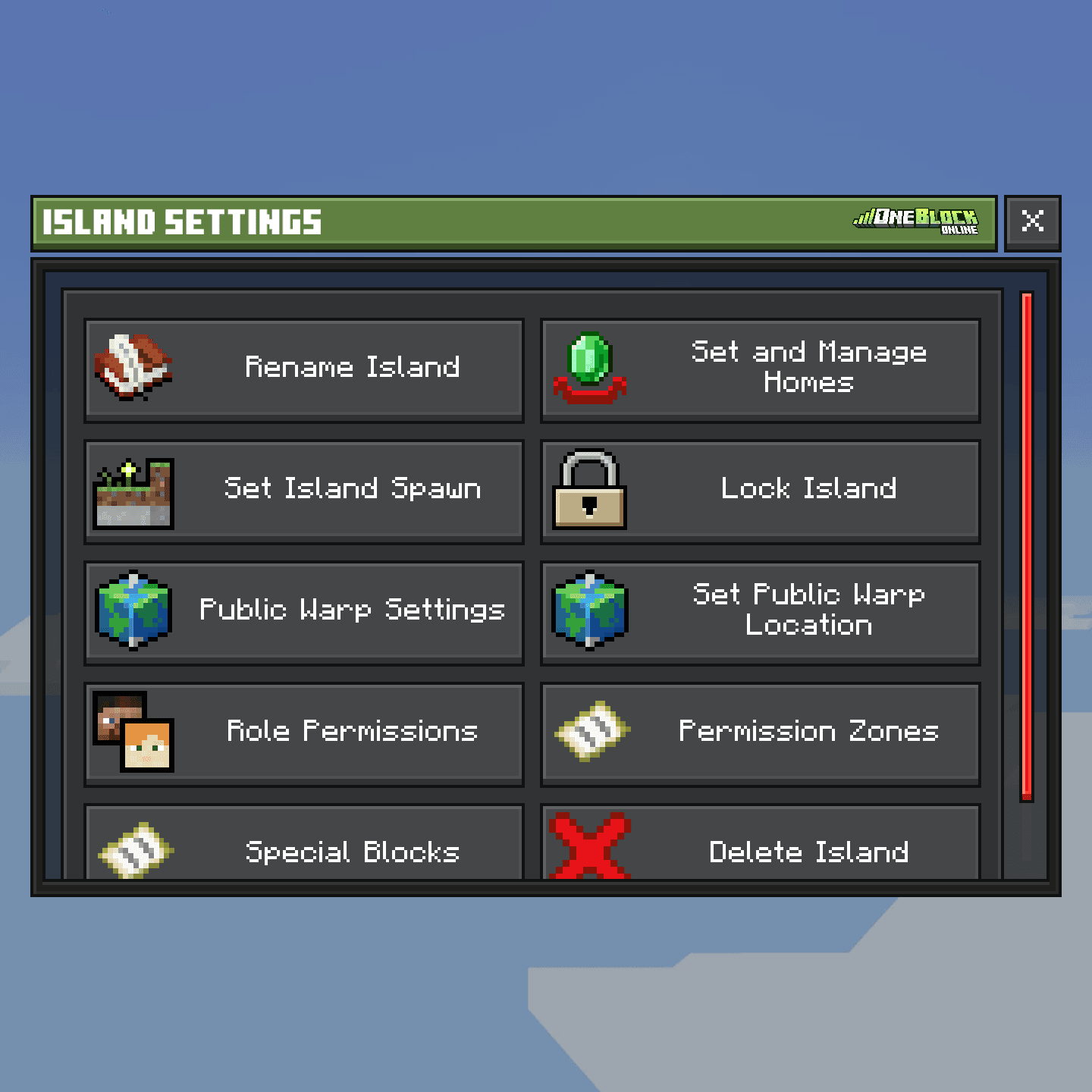
Open the Server Menu and tap Island Settings. This is where the owner runs the island:
| Button | What it does |
|---|---|
| Rename Island | Change the island name (free) |
| Lock Island | Keep all visitors out. Members can still come in |
| Public Warp Settings | Show your island in the Public Warps list |
| Role Permissions | Choose what each team role may do (Team & Permissions) |
| Permission Zones | Areas with their own rules for visitors |
| Special Blocks | Teleporters, parkour, texts and more (Tools & Special Blocks) |
| Delete Island | Remove the island forever (owner only) |
Visit other islands
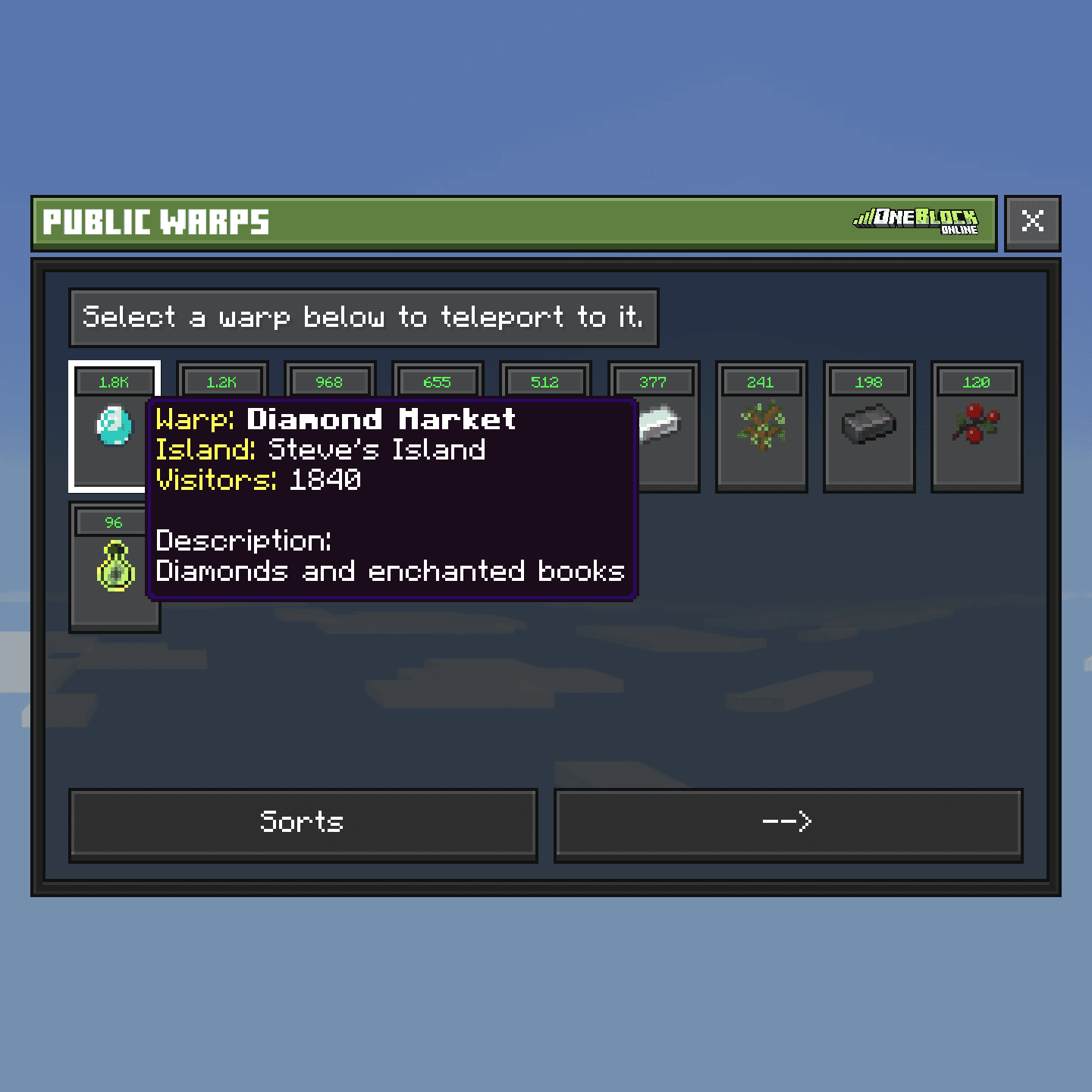
Public Warps is a list of islands that want visitors. Type /warps, or open the Server Menu, tap the Teleport tab, then Public Warps. Tap an island to go there.
Put your island on the list
- 1
Open the Server Menu
Tap the Server Menu item in your last hotbar slot, or type
/menu. It opens on the Island tab. - 2
Tap Island Settings, then Public Warp Settings
Turn on Show this island in public warps. Add a name, a short description and an icon.
- 3
Pick where visitors land
Stand on the spot. Back in Island Settings, tap Set Public Warp Location (or type
/setpublicwarp). - 4
Tell everyone
On the Island tab, tap Announce Public Warp. It posts a message in chat. You can do it again after 2 minutes.
New islands can take a few minutes to show up in the list.
Keep visitors in check
Visitors can walk around and open doors, and nothing else. They cannot break or take anything unless you allow it.
/is lock/is unlock to open again)/is kick <player>/is ban <player> [1d|7d|perm]/is unban <player>Island chat
Island chat is a private chat for your team. Type /ic and a message to send one message. Type /ic alone to make everything you type go to island chat.
Nothing runs while you're away
When nobody is on your island, it falls asleep. Spawners, minions, machines and crops all stop until someone comes back.Leave or delete an island
To leave a friend's island, open the Server Menu and tap Leave this Island. The owner cannot leave. They must first give the island to someone else (see Team & Permissions).
- 1
Open the Server Menu
Tap the Server Menu item in your last hotbar slot, or type
/menu. It opens on the Island tab. - 2
Tap Island Settings, then Delete Island
Only the owner sees this button.
- 3
Read the warnings
Everything on the island is gone forever, and all members are removed.
- 4
Type the island name
Type it exactly to confirm. A wrong name cancels it.
No island quests for 7 days
After you delete an island, any new island you make in the next 7 days has no daily or weekly Island Quests. Think twice before deleting.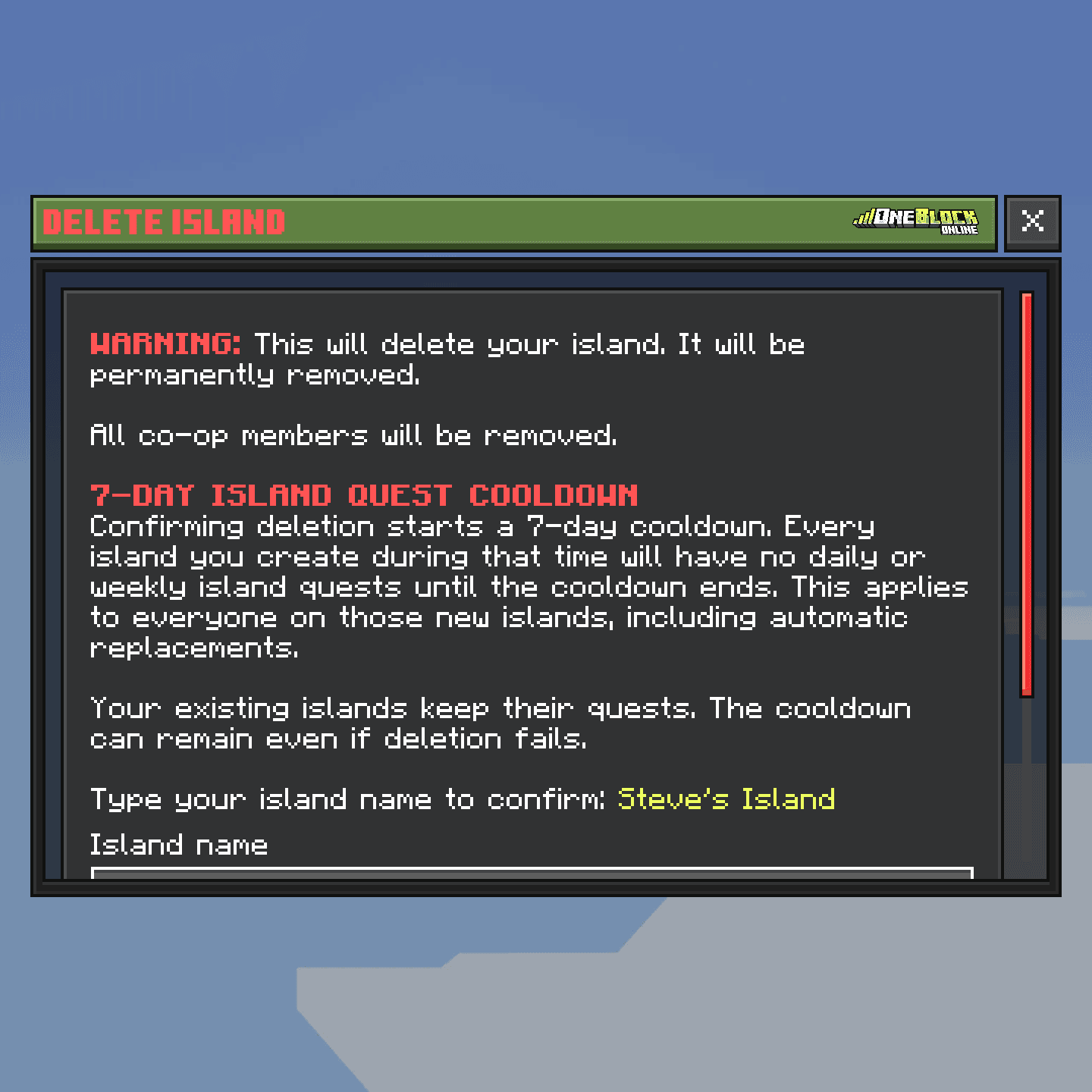
See every island command
/is/is create [name]/is list/is info/is switch <name|#>/is limits/is top [level|bank]/is invite <player>/is leave/is rename <name>/is promote <player>/is demote <player>/is zones/sethome [name]/home [name]/setislandspawn/setpublicwarp/warps/ic [message]





