




Bazaar
Buy and sell blocks and resources with other players, right away or at your own price.
The Bazaar is a big market for blocks and resources. You can buy or sell right away at the best price players offer. Or you can set your own price and wait.
It often pays more than the sell shop, because players need resources too.

0.75%
Tax on each trade

28
Open orders

7 days
Orders last
Open the Bazaar
Type /bz, or talk to the Bazaar NPC at spawn. You can also open the Server Menu (the Server Menu item in your last hotbar slot, or /menu), click Economy, then Bazaar.
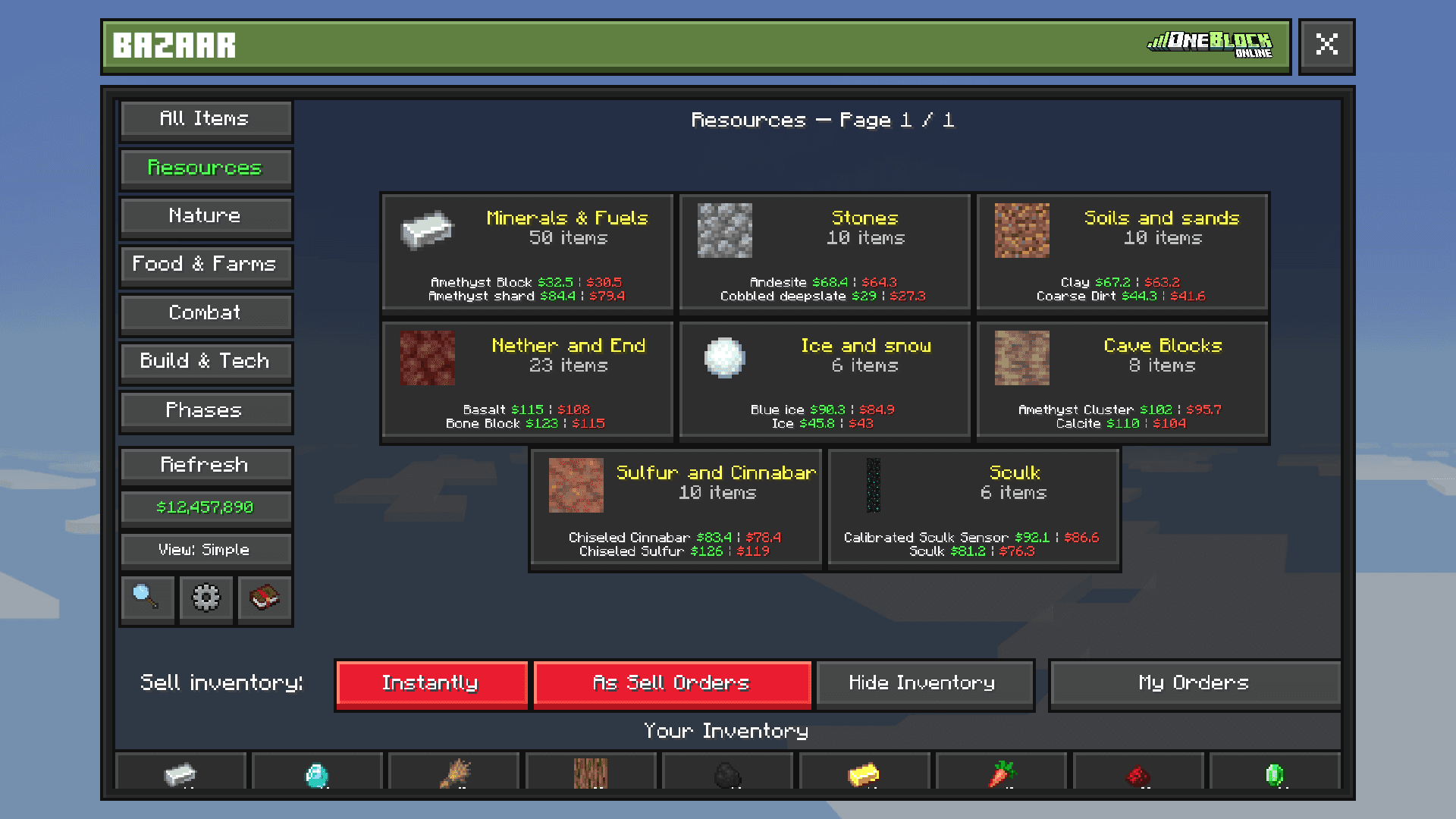
Pick a category on the left, like Resources or Food & Farms, or search for an item. The currency button switches between Money and Orebits  prices.
Buy or sell right away
- 1
Open an item
Click it in a category, or type
/bz searchand its name. - 2
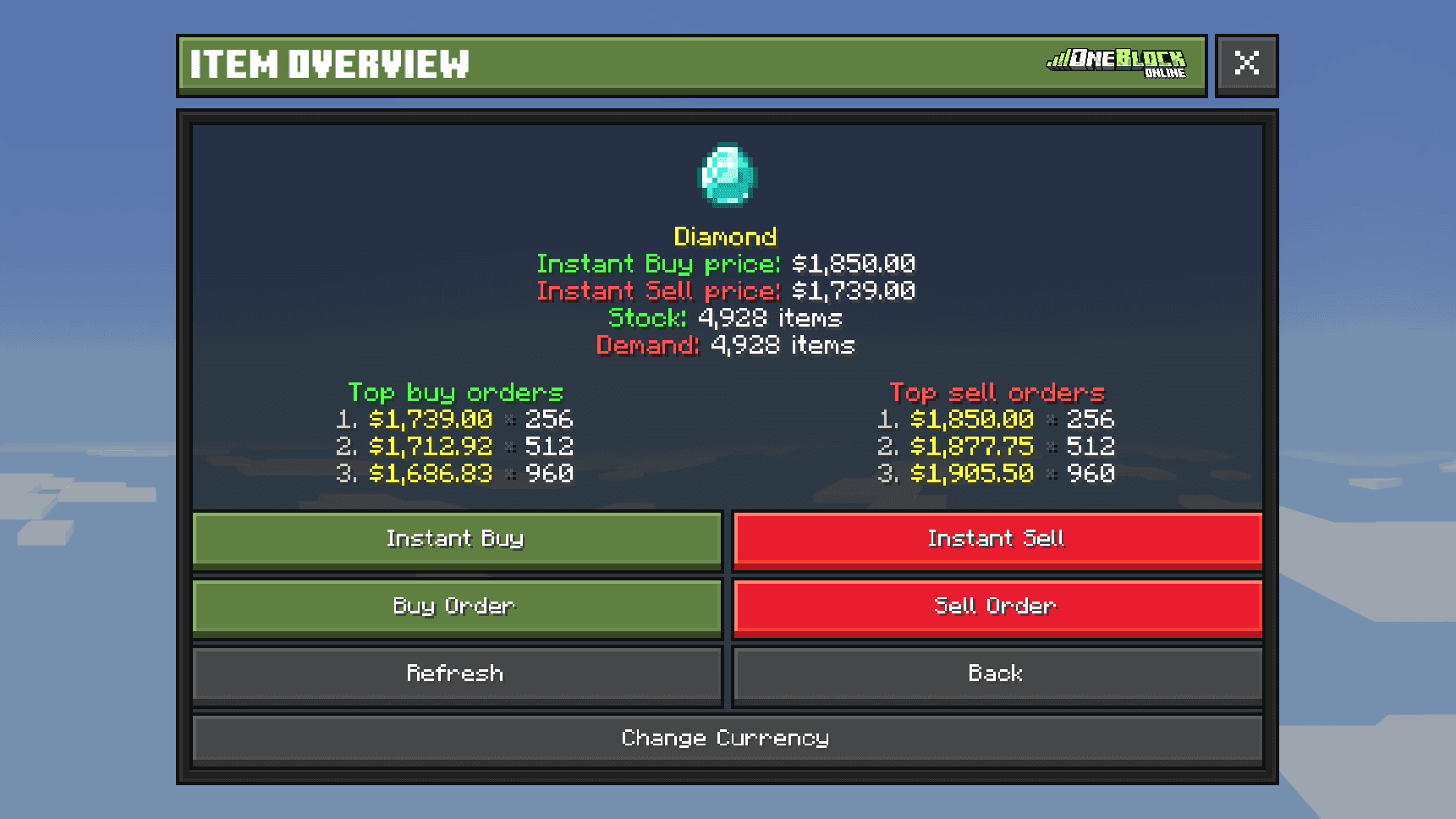
Press Instant Buy or Instant Sell
Instant Buy gets the cheapest offer. Instant Sell gets the highest offer.
- 3
Choose how many
Pick the amount and confirm. If the price changed a lot, the game asks you to check again.
Set your own price
Want a better price? Place an order. It waits until another player fills it.
- 1
Press Buy Order or Sell Order
On the item's page.
- 2
Set your price and amount
Type a price, or use a shortcut like Current + $0.10 to beat the best offer.
- 3
Confirm
For a buy order, your Money is put aside. For a sell order, the items leave your inventory.
- 4
Claim
You get a message when it fills. Type
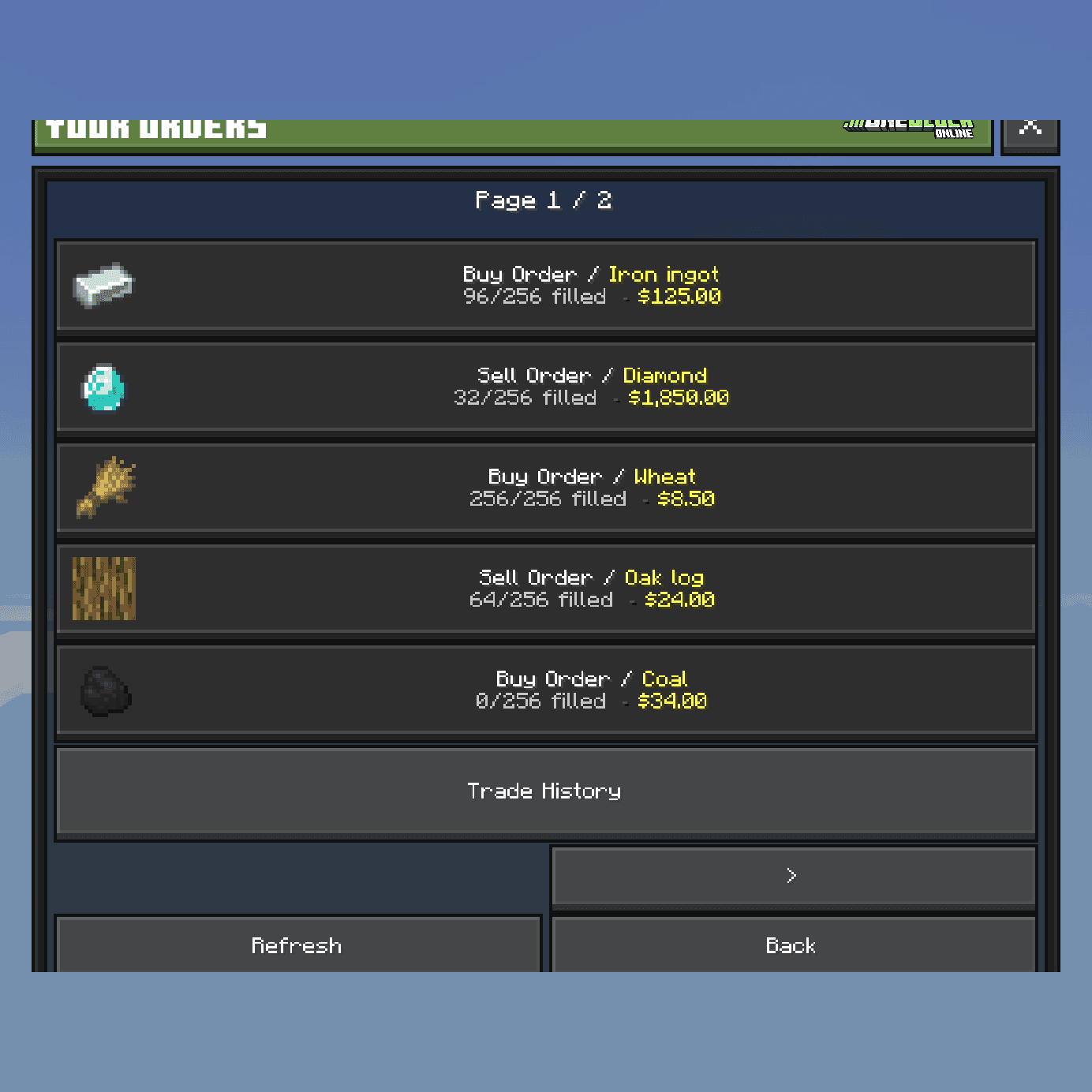
/bz ordersand press Claim.
Cancel Order gives back whatever is left. You can't have a buy order and a sell order on the same item at once.
Sell everything at once
Press Sell Inventory to sell all your resources in one go. To keep some items safe, press Settings in the Bazaar (or type /bz settings), then Sell Inventory Exclusions, and mark them Keep.
Good to know
- The Bazaar takes a small tax: 0.75% when you buy and when you sell. Selling $40,000 of items gives you $39,700.
- Only plain items work. Items with a custom name or lore say Not eligible for Bazaar. Sell those on the Item Market.
/bz historyshows everything you bought and sold.

Wskazówka
Before you sell to the shop, compare its price with the Bazaar's Instant Sell price./bz/bz search <item>/bz orders/bz sell_inventory/bz history