Orebits









Team & Permissions
Invite friends, find new players, give roles and decide what visitors can do.
Your team is everyone who shares your island. Teams grow faster: everyone breaks blocks, farms and puts money in the same bank. You decide what each person is allowed to do.

5
Team roles

5
Starting member slots

2 hours
Recruiting stays open
Roles
Each member has a role. The role decides what they can do. Higher roles can do more.
| Role | What they usually do |
|---|---|
 Leader | The owner. Can do everything. There is only one |
| Co-Leader | Runs the island with the Leader |
 Admin | Can kick members, take bank money and level up the island |
 Mod | Can invite new players |
 Member | Builds, farms and puts money in the bank |
Every member can always fly on their own island. See Flight.
Invite a friend
- 1
Open the Server Menu
Tap the Server Menu item in your last hotbar slot, or type
/menu. It opens on the Island tab. - 2
Tap Island Members
You see your team and how many member slots are free.
- 3
Tap Invite Player
Pick a player who is online, or type their gamertag. You can also type
/is invite <player>. - 4
Your friend accepts
They open the Server Menu, tap Pending Invites, and accept.
Your island needs a free member slot, and your friend needs a free island slot. "Your island is full!" means you need more member slots. "That player has no available island slots!" means your friend must leave an island first.
More member slots
Every island starts with 5 member slots. To buy more, type /store and open the Islands tab. The slots go to your active island.
| Offer | Price |
|---|---|
| 1 Island Member Slot | 830  |
| 5 Island Member Slots | 3,420 |
Manage your team
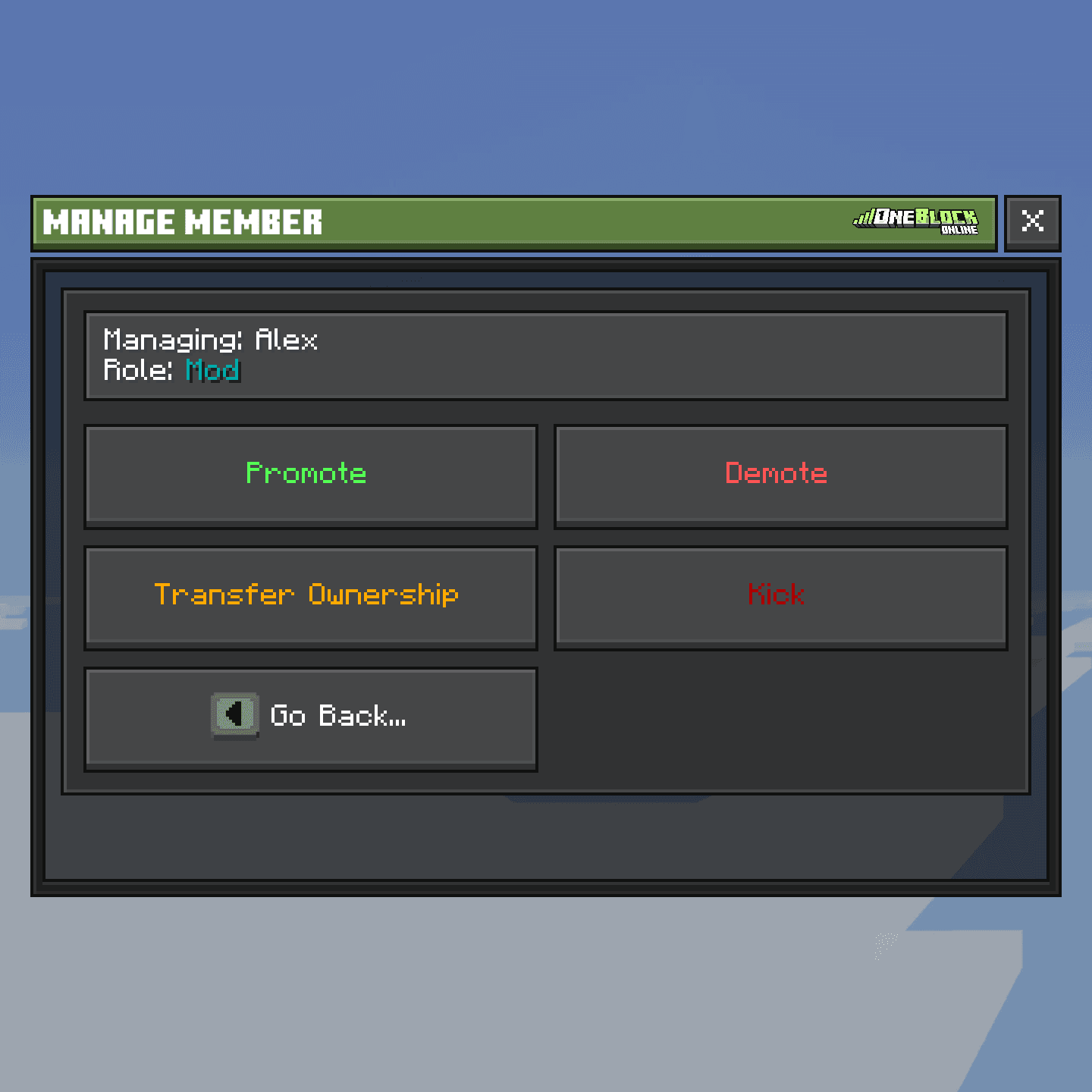
Open the Server Menu, tap Island Members, then tap a player. You can:
- Promote or Demote: move them one role up or down.
- Kick: remove them from the team.
- Transfer Ownership: make them the new Leader (Leader only). You become Co-Leader.
Find new players
Recruiting lets players you don't know ask to join your island. You need to be Mod or higher.
- 1
Open the Server Menu
Tap the Server Menu item in your last hotbar slot, or type
/menu. It opens on the Island tab. - 2
Tap Recruitment Settings
It is on the Island tab. Turn on Open for recruitment (2 hours). It closes by itself after 2 hours.
- 3
Add rules if you want
Minimum Money, Minimum Orebits and Minimum Blocks Mined. Players only need to have this much. They don't pay it. Leave empty for no rule.
- 4
Tap Announce Recruitment
Back on the Island tab. It posts a message in chat. You can do it again after 2 minutes.
- 5
Tap Pending Applications
Also on the Island tab. Approve or Decline each player. If you decline, you write a short reason.
Join someone else's island
- 1
Open the Server Menu
Tap the Server Menu item in your last hotbar slot, or type
/menu. It opens on the Island tab. - 2
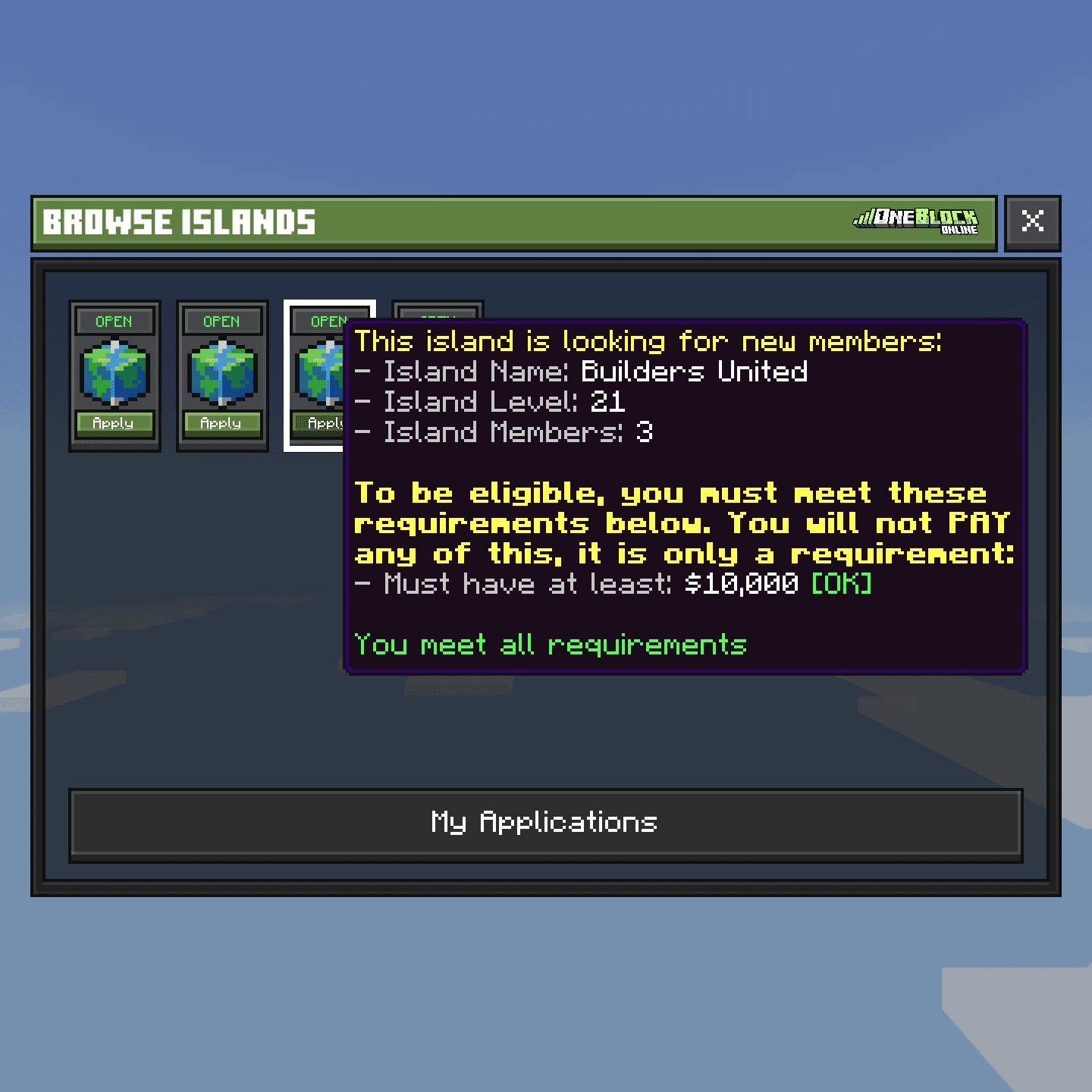
Tap Browse Islands
You see every island that is looking for players. Hover one to see its rules. Green means you meet them.
- 3
Apply
Tap the island to send your request. Check how it went with My Applications on the Island tab.
You can't apply if you own an island, or if the island is locked or full.
Role permissions
A permission is one thing a player is allowed to do, like building or opening chests. Only the Leader can change them.
- 1
Open the Server Menu
Tap the Server Menu item in your last hotbar slot, or type
/menu. It opens on the Island tab. - 2
Tap Island Settings, then Role Permissions
Pick a role: Co-Leader, Admin, Mod, Member or Visitor.
- 3
Flip the switches
Turn each permission on or off, then save.
By default, visitors can only open doors. Every member can build, break, farm, open chests and fight mobs.
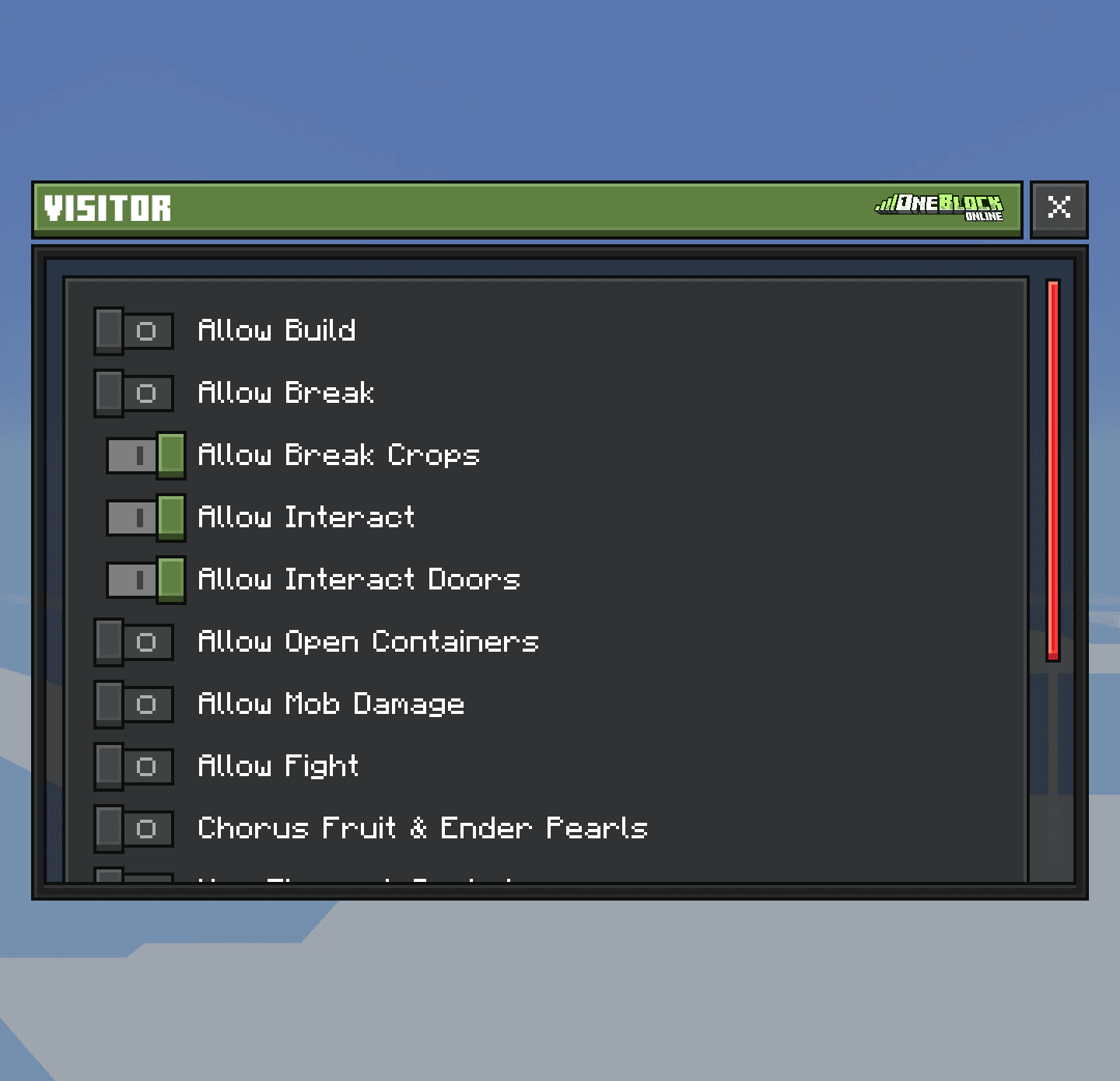
See who can do what by default
| Permission | Lowest role that has it |
|---|---|
| Build, break, farm, open chests, use doors | Member |
| Fight, ender pearls, fireworks, wind charges | Member |
| Turn spawners on and off | Member |
| Put money in the bank, buy from the quest shop | Member |
| Invite players, recruit | Mod |
| Kick members, take money from the bank, level up | Admin |
| Ban, lock, rename, buy upgrades | Co-Leader |
| Promote and demote, set homes and warps | Co-Leader |
| Permission zones, special blocks, chest shops, minions | Co-Leader |
| Change role permissions, delete island, give away island | Leader |
Permission Zones
A zone is a box you draw on your island with its own rules for visitors. For example: visitors may open chests only in your shop, or fight only in your arena. Members keep their normal role permissions.
- 1
Open the Server Menu
Tap the Server Menu item in your last hotbar slot, or type
/menu. It opens on the Island tab. - 2
Tap Island Settings, then Permission Zones
Tap Get Permission Wand. Holding it shows all your zones.
- 3
Draw the box
Use the controls below. The box is green when it's OK and red when it isn't. Press Use to save it.
- 4
Set the rules
Back in Permission Zones, tap the zone, then Edit visitor rules. Each rule can be Allow visitors here, Block visitors here or Use island setting.
| With the wand | What happens |
|---|---|
| Use | Save the zone |
| Walk forward or back | Make it longer or shorter |
| Walk sideways | Make it wider or thinner |
| Jump | Make it taller |
| Sneak | Move the whole box |
| Hit | Walk freely without changing the box |

Make a PvP arena
Draw one zone around your arena and set Fight to Allow visitors here. Players can then only fight inside it. More in PvP.Zones can't overlap each other or go past your island's edge. Type /is zones to see all of them for 30 seconds.
Drawing a permission zone with the Permission Wand
Zrzut ekranu wkrótce