Orebits









Item Market & Auctions
Sell gear, pets and special items to other players, and bid in live auctions at spawn.
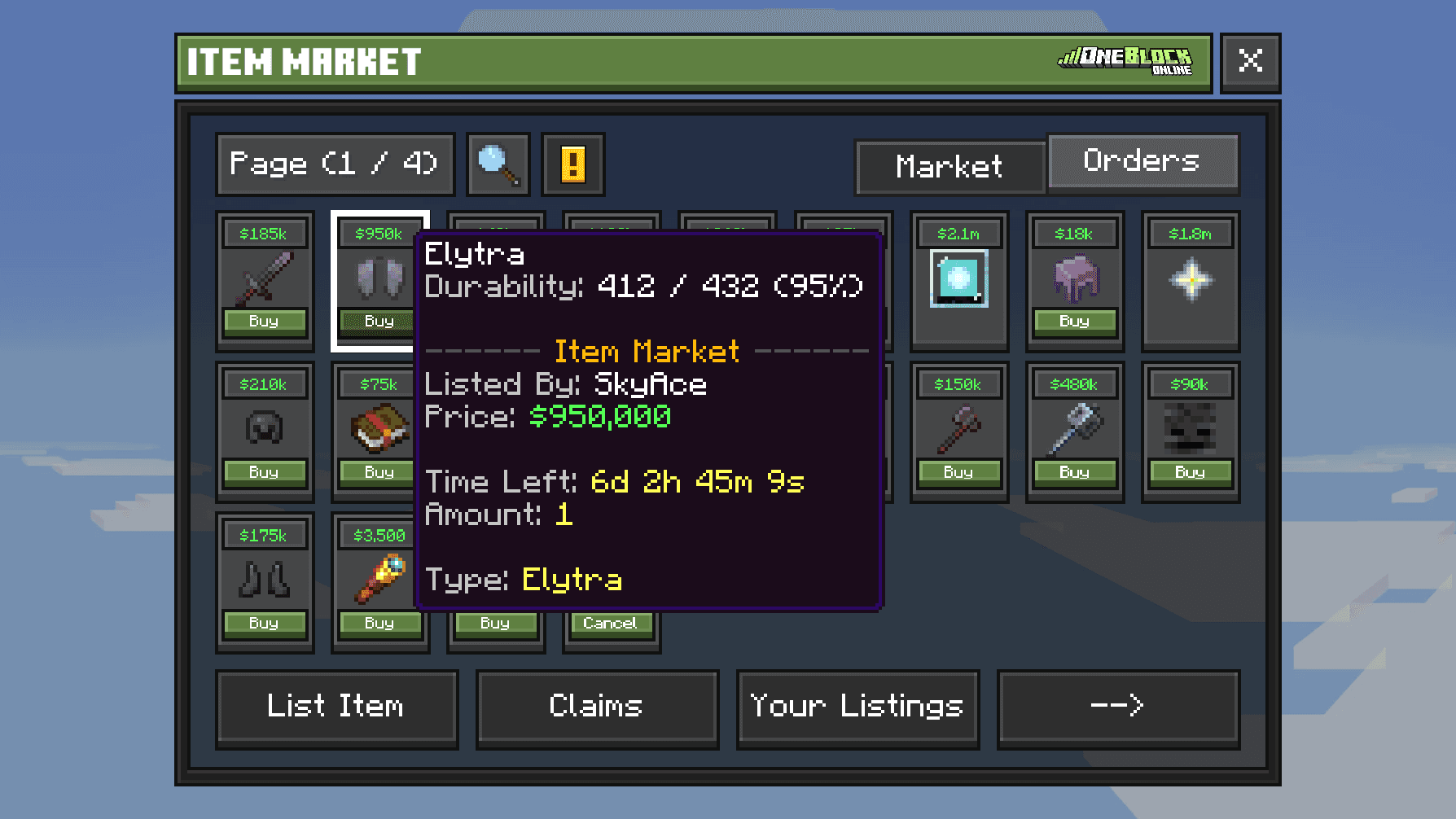
The Item Market is a shop where players sell to each other. You list an item at your price. Other players can buy it, even while you are offline.
Use it for gear, pets and special items. Plain blocks and resources are sold on the Bazaar instead.

Free
Listing fee

2 hours
Listing time
3 to 20
Listing slots
Open the market
Type /im or /ah. You can also talk to the Item Market NPC at spawn, or open the Server Menu (the Server Menu item in your last hotbar slot, or /menu), click Economy, then Open Item Market.
Sell an item
- 1
Hold the item
Put the item you want to sell in your hand.
- 2
Type /listitem
Or press List Item in the market.
- 3
Set the price
Choose Money or Orebits and type your price. Then confirm.
- 4
Collect your pay
When it sells, the Money waits in the Claims tab. If nobody buys it, the item goes back to Claims.
You cannot list locked items, or pets that are out. Put the pet back into item form first.
Wskazówka
Empty your Claims often. Things waiting there use up your listing slots./claimall collects everything at once.Buy an item
Find an item on the Listings tab. Use Search or Filters to find it faster. Click it and press Confirm Purchase. You need one free slot in your inventory.
Uwaga
Check the price and the currency before you confirm. Selling items for real money gets you banned.Listing slots
| Rank | Listing slots |
|---|---|
| Default | 3 |
 Hero | 5 |
 Paladin | 8 |
 Champion | 12 |
 Demigod | 20 |
/im/listitem/relistall/cancelall/claimallBuy orders have moved to the Bazaar. The Bazaar (NEW) button in the market takes you there.
Live auctions
Sometimes staff run a live auction for a rare item at spawn. Everyone can bid. When one is running, a bar at the top of your screen says LIVE AUCTION and USE /bid.
The live auction display at spawn
Zrzut ekranu wkrótce
- 1
Type /bid
Or click the auction display at spawn.
- 2
Place a bid
Press BID for the smallest allowed bid, or CHOOSE BID to type your own amount.
- 3
Wait for the end
Your Money is held while you lead. If someone bids more, you get it back.
- 4
Collect your prize
If you win, you see AUCTION WON!. Type
/auctions claimsto collect it.
A bid in the last seconds adds a little extra time, so others can answer. Type /hideauction to hide the top bar.