Orebits









Chat & Colors
How chat looks, Local and Island chat, chat and name colours, and badges.
Chat is where you talk to other players. Every message shows your island, your rank, your name in colour, your badge and your title.

Local and Island chat
There are two chat channels. A channel is who can read your messages.
| Channel | Who reads it |
|---|---|
 Local | Everyone on the same server as you. This is the normal one. |
 Island | Only your island team, on every server. |
- 1
Open the Server Menu
Use the Server Menu (Click Me) item in your last hotbar slot, or type
/menu. - 2
Go to the Island tab
Click Island at the top.
- 3
Switch channel
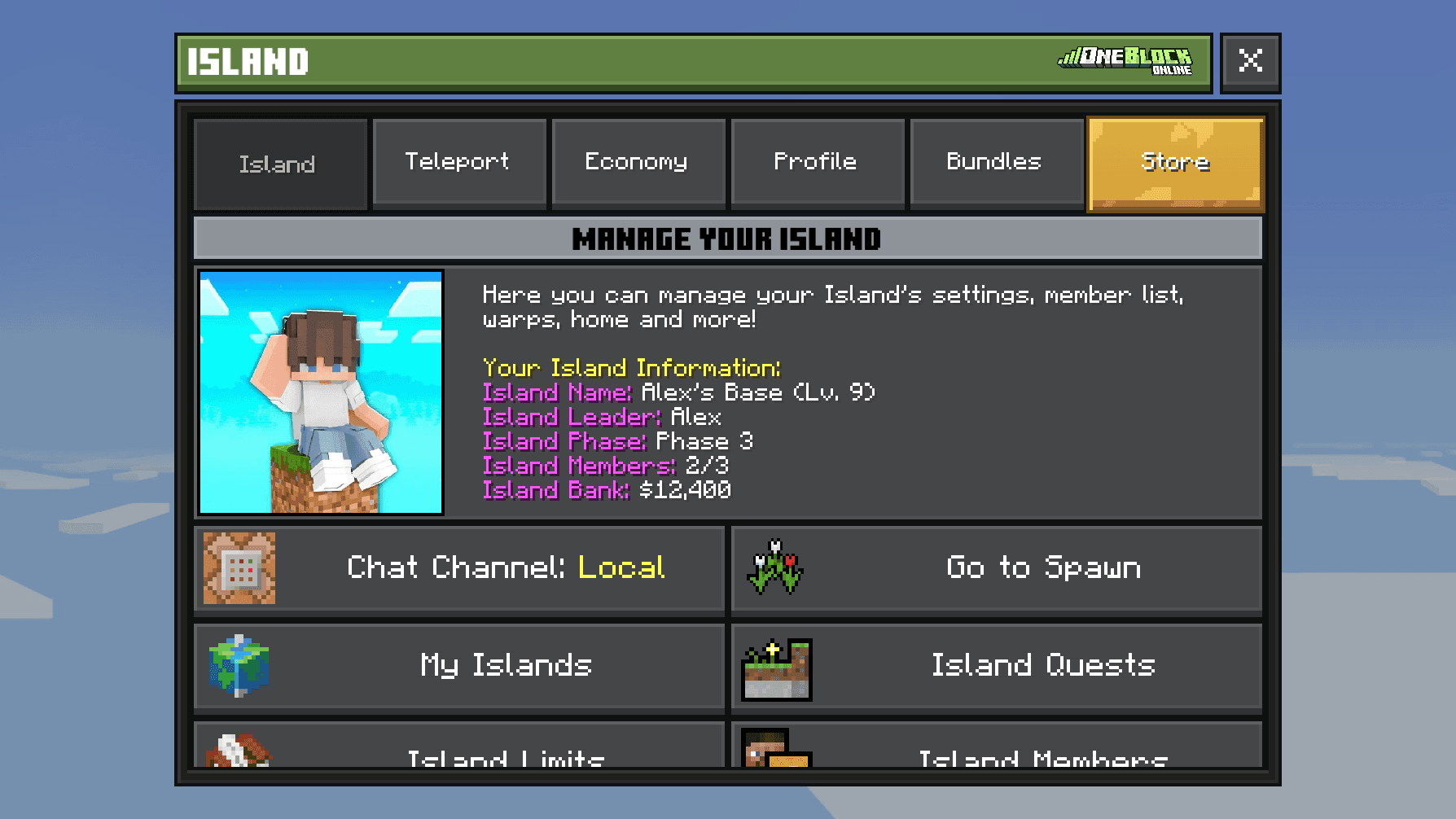
Click Chat Channel: Local. It changes to Island. Click it again to go back.
You only see this button when you are in an island team. To send just one message to your team, type /ic <message>.
Chat colour
Chat Color changes the colour of the words you type. Your name stays the same.
- 1
Open the Server Menu
Use the item in your last hotbar slot, or type
/menu. - 2
Go to the Profile tab
Click Profile at the top.
- 3
Pick a colour
Click Chat Color, then a colour that is not Locked.
Faster: type /chatcolor. Default White puts it back to normal.
| Colour | Who can use it |
|---|---|
 Pink | Patron, Patron+ and Patron++ |
 Aqua | Champion and higher |
 Dark Red | Demigod and higher |
 Green Yellow Blue Gold Lime Red White Dark Aqua Dark Purple | Special rewards only |

Полезно знать
If your rank runs out, your messages go back to your rank colour.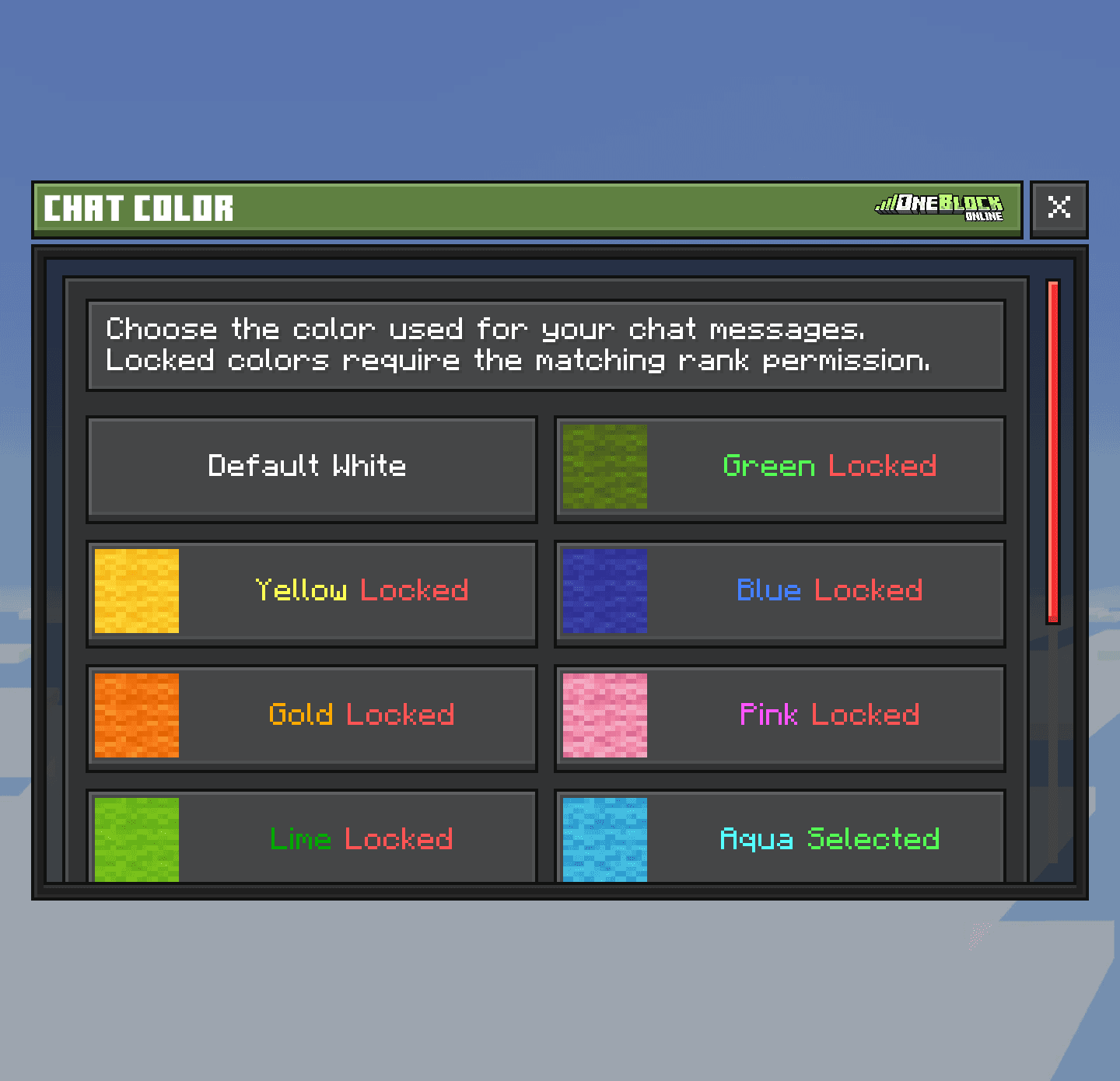
Name colour
Name Color changes the colour of your name in chat and above your head. You need the Champion rank or higher. With it, all 12 colours are yours.
- 1
Open the Server Menu
Use the item in your last hotbar slot, or type
/menu. - 2
Go to the Profile tab
Click Profile at the top.
- 3
Pick a colour
Click Name Color, then a colour. Default uses your rank colour.
Faster: type /namecolor.
Two players side by side, one with the normal name colour and one with Gold
Скриншот скоро будет
Badges
A badge is a tiny picture after your name. Badges come from events and giveaways. Type /prefixselector to pick one of the badges you own, or None to hide it.
Chat rules
- Wait 1 second between messages, or you see “You're sending messages too quickly.”
- You can't send the same message twice in a row within 5 seconds.
- Colour codes in chat are blocked. Use Chat Color instead.
- If staff mute you, you can't chat for a while. The message tells you how long and why. See Rules & Safety.
Commands
/chat channel <local|island>/ic <message>/chatcolor/namecolor/prefixselector